
Camera-Ready Instructions
1. Please modify your manuscript by keeping in mind the reviewer comments and anything else you would like to edit before making your final manuscript.
2. Please ensure that you are using IEEE format of writing, and all the fonts are of embedded type in the content itself. This is an important step to ensure your PDF passed the IEEE PDF eXpress check.
3. Please Verify Your Paper with IEEE PDF eXpress
- 3.1 Please visit the PDF eXpress login page: https://ieee-pdf-express.org/account/login
- 3.2 Create a login using your email address, Conference ID: 70768X and a password of your choice as shown in the screenshot below.
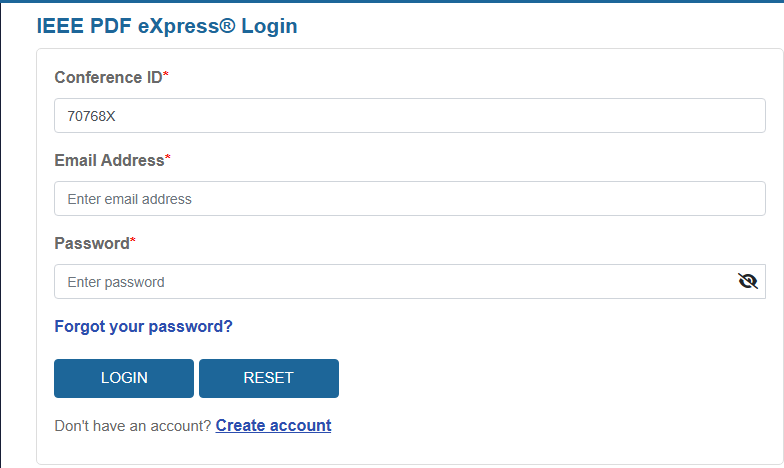
IEEE PDF eXpress login page — enter your email, Conference ID: 70768X, and a password of your choice.
- 3.3 After you login, please upload your final PDF manuscript and wait for PDF eXpress to perform the necessary checks. Once the PDF passed the PDF eXpress check, please download the PDF eXpress provided PDF and upload this new PDF eXpress passed .pdf file to EasyChair as the Camera-Ready manuscript.
- 3.4 More instructions on how to use PDF eXpress is available at https://ieee-pdf-express.org/External/UsingIEEEPDFeXpress
- 3.5 If you are facing difficulty in the PDF eXpress website, please email PDFSupport@ieee.org and send them your query / screenshot of error. The conference committee may not be able to address questions related to PDF eXpress support / issues.
Important Notes
- The similarity index of the manuscript must NOT exceed 25%. For this conference, we employ iThenticate to verify similarity levels.
- In the final camera-ready version, the author names and list must match those in the submission system, unless there has been explicit consent from the InCIT 2026 Chair for any changes.
- Please ensure that your registered email address is correct and regularly check your inbox — including your spam/junk folder — to avoid missing any notifications from the InCIT 2026 organizing committee.
Sponsored InCIT 2026